
An ADA compliant patient portal is a secure online system that people with disabilities can use without help. It removes an accessibility barrier so users can book an appointment, view a medical record, and read health information with confidence. For any healthcare provider, accessibility improves patient care and reduces legal risk. The Americans with Disabilities Act became US law in 1990, and its Title III now reaches digital front doors such as booking pages, patient dashboards, and secure messaging. In Australia, the same duty sits under the Disability Discrimination Act 1992.
Patient portals are now part of everyday healthcare. And so are the accessibility issues tied to them. Many practices don’t notice the gaps until users speak up. Or worse, until an accessibility lawsuit begins. Honestly, that gap is frustrating to watch, because the fixes are usually cheap compared to the fallout. Sound familiar?
Introduction: Why Patient Portals Must Be Accessible
Patient portals aren’t optional anymore. They’re a main way people access healthcare services, manage a health record, and handle appointment scheduling online. When access fails, some users are locked out of care. That includes people with vision loss, hearing issues, limited movement, or cognitive challenges.
Healthcare website accessibility affects trust and safety. It also affects outcomes. When users can’t read results or confirm an appointment, care slips. Errors rise. Frustration follows.
ADA compliance helps fix this. It lowers legal exposure and improves the patient experience. It supports equal access and shows respect for all users. For modern healthcare organisations, accessibility is part of quality care. It’s also part of smart risk management. And yes, regulators and courts now expect it.
What Is an ADA Compliant Patient Portal?

An ADA compliant patient portal is an online system designed so people with disabilities can use it without assistance. It supports assistive technology like screen readers and keyboard navigation, and follows recognised web accessibility rules. Put simply, it works for everyone.
Digital accessibility covers every part of the experience. That includes login screens, dashboards, forms, secure messages, and appointment booking. Buttons need to be clear. Text needs to be readable. Errors should be explained in plain language.
Compliance isn’t the same as usability. A system can meet basic rules and still frustrate users. True accessibility blends both. It focuses on how real people move through the system. Elderly users. Busy carers. People managing long term care.
Healthcare organisations that treat accessibility as a checkbox often miss this. The best results come from testing with real users and fixing real problems. You can feel the difference.
How ADA and WCAG Apply to Healthcare Websites
The Americans with Disabilities Act applies to digital healthcare, not just physical buildings. Courts now treat healthcare websites and online systems as places of public service, and the Department of Justice’s web guidance confirms that websites count under the ADA. That’s why ada compliance medical website cases keep rising. In Australia, the Australian Human Rights Commission takes a similar view under the Disability Discrimination Act.
WCAG stands for Web Content Accessibility Guidelines, published by the W3C. For a healthcare website, WCAG 2.1 AA is the level most regulators expect, and WCAG 2.2 (published in 2023) adds 9 newer checks such as accessible authentication and larger drag targets. AA sets hard, testable thresholds: body text needs a colour contrast ratio of at least 4.5:1, large text and interface icons need 3:1, and any touch target should reach roughly 24 by 24 pixels. Unlike vague design opinions, these are numbers a developer can measure. They cover visual access, motor control, hearing support, and cognitive clarity. These accessibility requirements guide safe digital care.
The three WCAG levels build on each other. Here’s how they compare for a patient portal:
| Level | What it covers | Who expects it |
|---|---|---|
| A | The basics: keyboard access, alt text, no content traps | The bare minimum. Not enough on its own |
| AA | Adds colour contrast, resizable text, clear errors, consistent navigation | Regulators, courts, and procurement teams |
| AAA | Adds sign language for video, higher contrast, simpler reading levels | A stretch goal, rarely required site wide |
A WCAG aligned site supports keyboard use, clear structure, and readable content. It avoids flashing elements and confusing layouts. These rules protect both users and the healthcare organisation.
Compliance matters because healthcare information is essential. Missing a result or reminder can harm care. Web accessibility helps ensure digital healthcare works for all users, not just the tech confident ones.
What Are the Common Accessibility Barriers in Patient Portals?
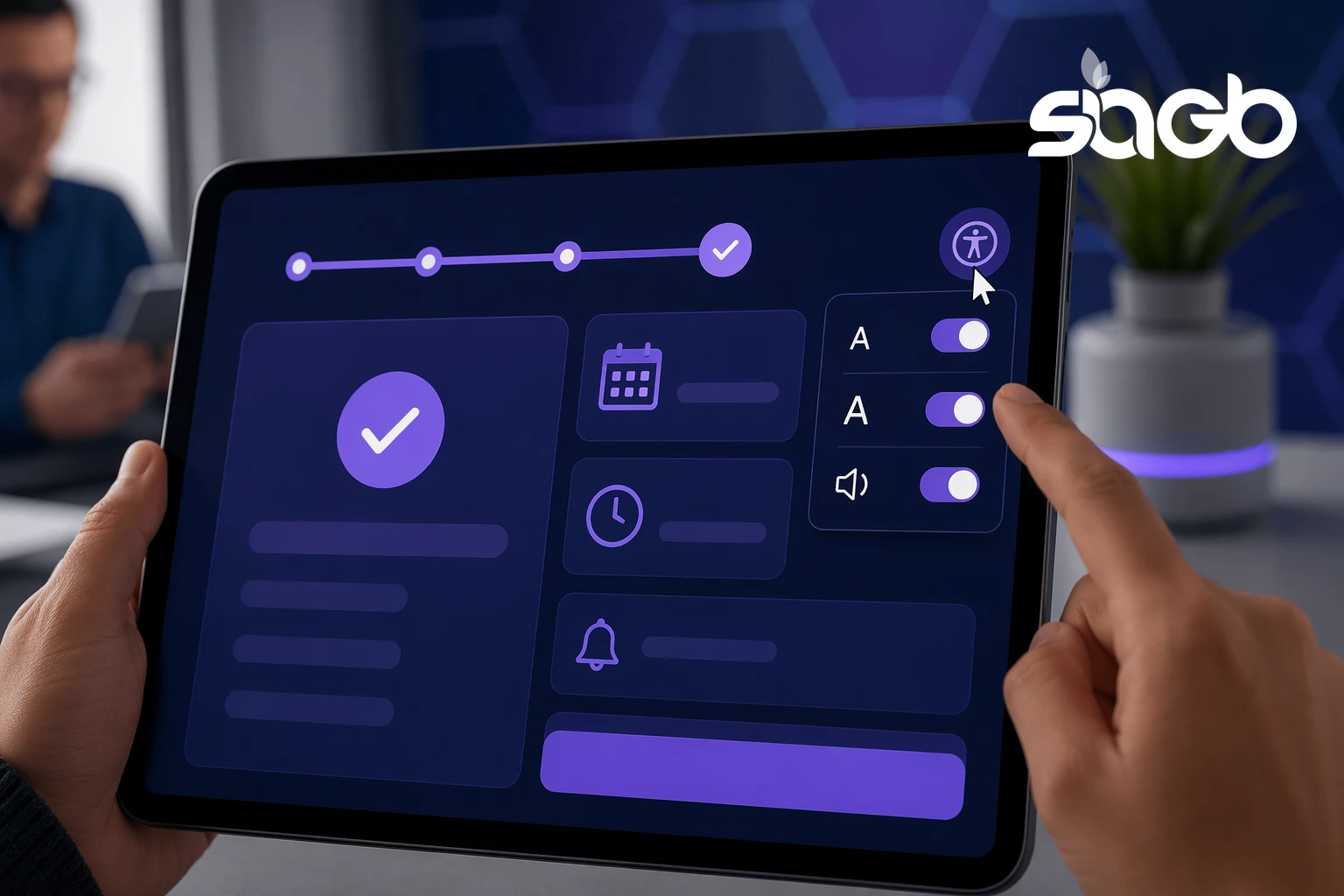
An accessibility barrier often hides in plain sight. Visual issues include low colour contrast and small text. Motor barriers appear when forms need precise mouse clicks. Hearing barriers affect videos without captions. These problems are everywhere. According to the WebAIM Million report, roughly 95 to 96 percent of the top 1,000,000 home pages fail basic WCAG checks, and the average page carries around 50 to 60 distinct errors. Low contrast text and missing form labels top the list every year. Data from that same report shows the pattern barely moves, which is genuinely surprising given how well documented the fixes are.
Screen readers struggle with poorly built dashboards. Login forms often fail to announce errors. Confirmation messages can be unreadable. These gaps block patient engagement.
Here are the barriers we see most, and what fixes them:
| Barrier | Who it affects | The fix |
|---|---|---|
| Low colour contrast | Users with low vision, older users | Meet the AA contrast ratio for all text and buttons |
| Forms without labels | Screen reader users | Add proper labels and announce errors clearly |
| Mouse-only controls | Users with motor impairments | Make every action work with a keyboard |
| Videos without captions | Deaf and hard of hearing users | Add accurate captions and transcripts |
| Dense medical jargon | Users with cognitive challenges | Use plain language and short instructions |
Elderly users feel this most. So do people managing chronic conditions. When access fails, they call staff instead. That increases costs and lowers patient satisfaction.
Healthcare providers often don’t test these journeys. They assume systems work because they load. But accessibility is about use, not speed. Fixing barriers improves trust and outcomes.
What Are the Legal and Financial Risks of a Non-Compliant Portal?
Accessibility lawsuit risk is real for any healthcare facility offering digital access. In the United States, plaintiffs filed more than 4,000 web accessibility lawsuits in federal court in a single recent year, according to industry trackers, and healthcare sits among the most targeted sectors. Claims tied to online systems keep rising, especially where access affects care delivery.
The cost of a redesign after a complaint is high. Building accessibility in from the start is far cheaper than bolting it on later. Unlike a planned fix scoped over a few sprints, a reactive rebuild after a demand letter often means legal fees, an emergency audit, and rushed developer time all at once.
Proactive digital accessibility lowers this risk. It also reduces support calls and missed appointments. In our work with medical groups, we track how often patients abandon a booking flow, and clearer, keyboard friendly forms consistently cut those drop offs rather than adding cost. It pays for itself over time, specifically in busy practices that rely on visitor sessions and online forms.
Healthcare organisations that ignore accessibility gamble with reputation. People talk. Reviews follow. Trust fades fast.
What Features Make a Patient Portal Accessible?

A well designed system includes accessibility features that support usability and safety.
- Full keyboard navigation for all actions
- Screen reader friendly labels and structure
- Clear language with simple instructions
- Strong colour contrast and scalable text
- Accessible appointment booking and secure messaging
Medical practice website design should support these features from day one. Retrofitting later costs more. And it rarely works well.
Clear flows improve patient care. They also support practice online services like booking, messaging, and viewing a health record. These features help everyone. That’s the quiet win of web accessibility.
Security, Privacy, and Accessibility Working Together
Some teams think accessibility weakens security. It doesn’t. A hipaa compliant website can still be easy to use. Often, clear design improves security awareness.
Healthcare cybersecurity threats target online systems. Phishing, weak passwords, and data leaks are common. Protecting protected health information and patient information is critical.
Accessible design helps here. Clear warnings reduce mistakes. Simple language helps people spot risks. Secure systems that are hard to use push people toward unsafe workarounds.
A healthcare provider should treat accessibility, privacy, and security as one system. Not separate tasks. When balanced well, care improves and risk drops.
How AI Improves Accessible Patient Portals
AI now plays a real role in accessibility. AI driven tools such as axe DevTools, WAVE, and Lighthouse scan systems for web accessibility gaps. They flag issues early and track fixes over time. In practice these tools catch roughly 30 to 40 percent of WCAG issues automatically, so they speed up the work rather than replace human testing.
AI chatbots can support accessible communication. When built well, they help users check appointments, ask simple questions, or get reminders. That supports patient engagement without replacing care teams. Our team built AI-powered patient scheduling for medical groups, and the same engine that powers Marvel PTE now serves more than 85,000 users across 900+ institutes, so we have watched at real scale how conversational flows either help or frustrate people with disabilities.
Analytics matter too. AI shows where people struggle. It highlights drop offs in forms and booking flows. Firms like SIAGB use this data to guide fixes, not guesswork. In our experience, one client cut repeat support calls after we compared two booking layouts and kept the keyboard friendly version. That’s where ai optimised website healthcare strategies shine, specifically when aligned with electronic health record systems such as bridge patient portal or eastern health platforms.
SEO, AEO, and Accessible Portals
Accessibility helps more than users. It helps search visibility too. Search engines reward clear structure and readable content, and Google’s Core Web Vitals set concrete targets such as Largest Contentful Paint under 2.5 seconds, Interaction to Next Paint under 200 milliseconds, and Cumulative Layout Shift under 0.1. Accessible markup, specifically proper headings and labelled forms, tends to move all three in the right direction. That boosts medical practice SEO.
Answer engine optimisation relies on clarity. Accessible content answers questions directly, which is exactly what AI answer tools such as ChatGPT, Perplexity, and Google AI Overviews look for when they cite a source. Adding schema.org structured data, for example MedicalWebPage and FAQPage types, gives those systems a clean, machine readable version of the page rather than leaving them to guess.
Agentic SEO uses AI agents to monitor issues, updates, and testing. These tools spot broken flows and content gaps quickly. Unlike a one off audit, they run continuously. Agentic AI for marketing connects digital accessibility, content, and performance.
Healthcare SEO strategy now includes web accessibility by default. Because accessible sites perform better. And people notice.
Infographic: ADA Compliance Checklist for Patient Portals
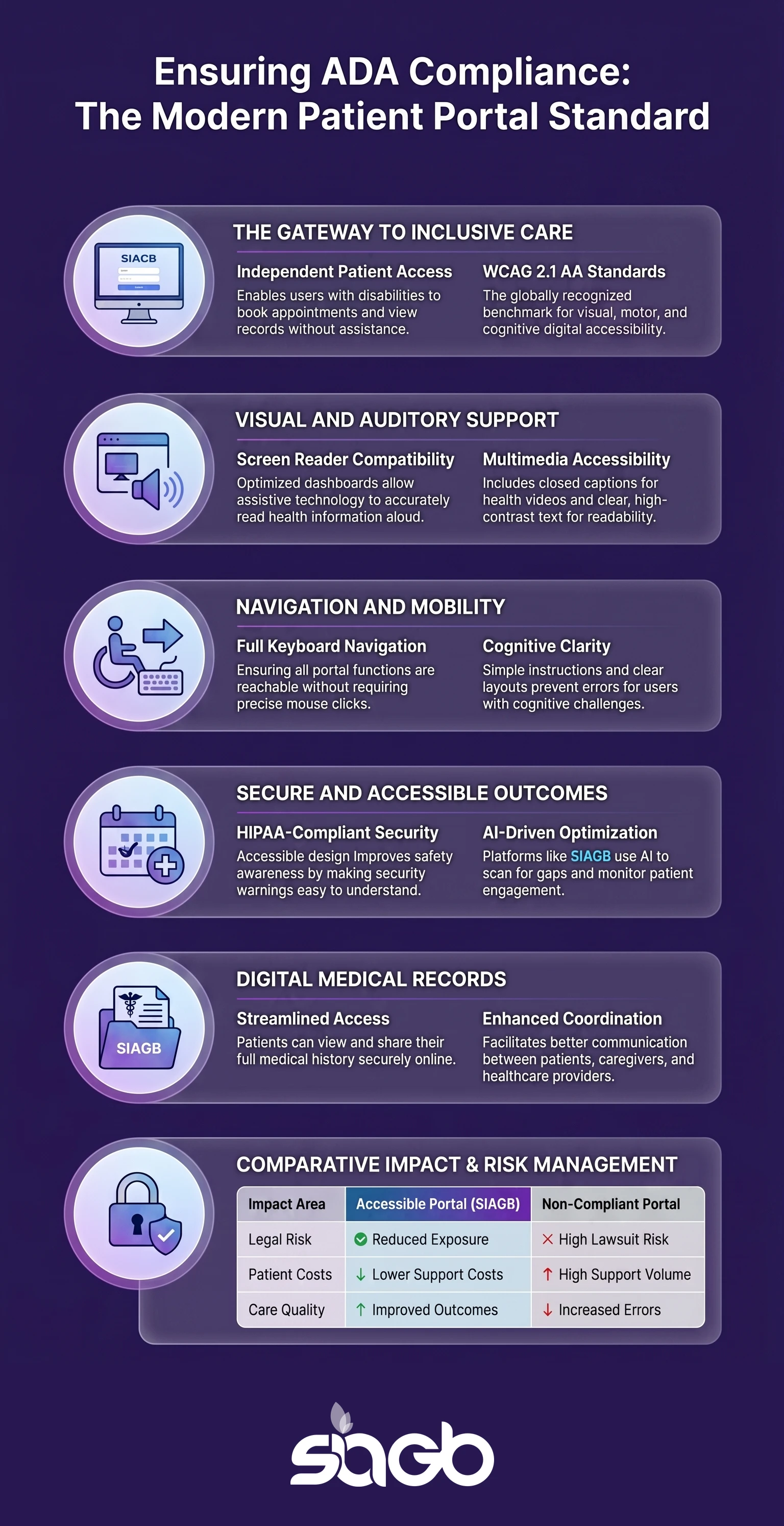
This infographic outlines accessibility requirements for secure online systems. It maps WCAG rules to real user needs. It also shows how compliance, security, and engagement connect. A simple visual. A complex system made clearer.
FAQ
What is an ADA compliant patient portal?
It’s an online system that people with disabilities can use without help from staff. A quick test: can someone complete a booking using only a keyboard and a screen reader? If not, it isn’t compliant yet.
Does ADA compliance apply to healthcare websites?
Yes. ADA rules apply to healthcare websites and online tools. Courts treat them as essential services. Australian practices face the same duty under the Disability Discrimination Act.
What standards should healthcare organisations follow?
WCAG 2.1 AA is the most accepted guide. If you’re buying a portal rather than building one, write WCAG 2.1 AA into the contract and ask the vendor for a current accessibility conformance report before you sign.
Can secure systems still be accessible?
Yes. Accessibility and hipaa compliance work together. In practice, hard to use security pushes people toward risky workarounds like shared passwords, so clear design often improves security outcomes.
How often should accessibility be tested?
Testing should be ongoing. A good rhythm is an automated scan with every release, a manual keyboard and screen reader check each quarter, and a full audit with real users once a year.
Key Takeaways and Final Thoughts
Accessibility isn’t optional in healthcare. It’s part of safe and fair care. An accessible system supports patient care, staff efficiency, and compliance goals.
Healthcare website accessibility reduces legal risk and improves patient satisfaction. It also builds trust and protects reputation. Modern platforms blend digital accessibility, security, and AI to meet real needs.
If your system struggles today, users already know. The fix starts with honest testing, a clear accessibility statement, and thoughtful design. The results are worth it.
Sources

Ready to put this into practice?
Let's Talk