
A HIPAA compliant website is one built and hosted so that any protected health information it touches stays private and secure, the way the HIPAA Security Rule requires. In plain terms: if your site collects, stores, or sends patient information, it needs the right hosting, encryption, access controls, and a signed agreement with your vendors. Miss those, and you’re carrying real risk.
If you run a clinic outside the United States, HIPAA might not apply to you directly. Stick around anyway. The Health Insurance Portability and Accountability Act dates to 1996, and its Security Rule has bound most covered entities since 2005. Australia took a different route with the Privacy Act 1988. The safeguards land in much the same place, though, so I’ll cover both.
What counts as protected health information
Start here, because it trips people up. Protected health information (PHI, sometimes called personal health information) is any detail that links a person to their health. A name plus an appointment. An email asking about a test result. A contact form that mentions a condition. Even an IP address tied to a health enquiry can count.
So the question isn’t “does my website store medical records?” Most clinic sites don’t. The question is “does my website touch patient information at any point?” Contact forms, booking widgets, live chat, and email all do. And that’s where HIPAA compliance actually bites.
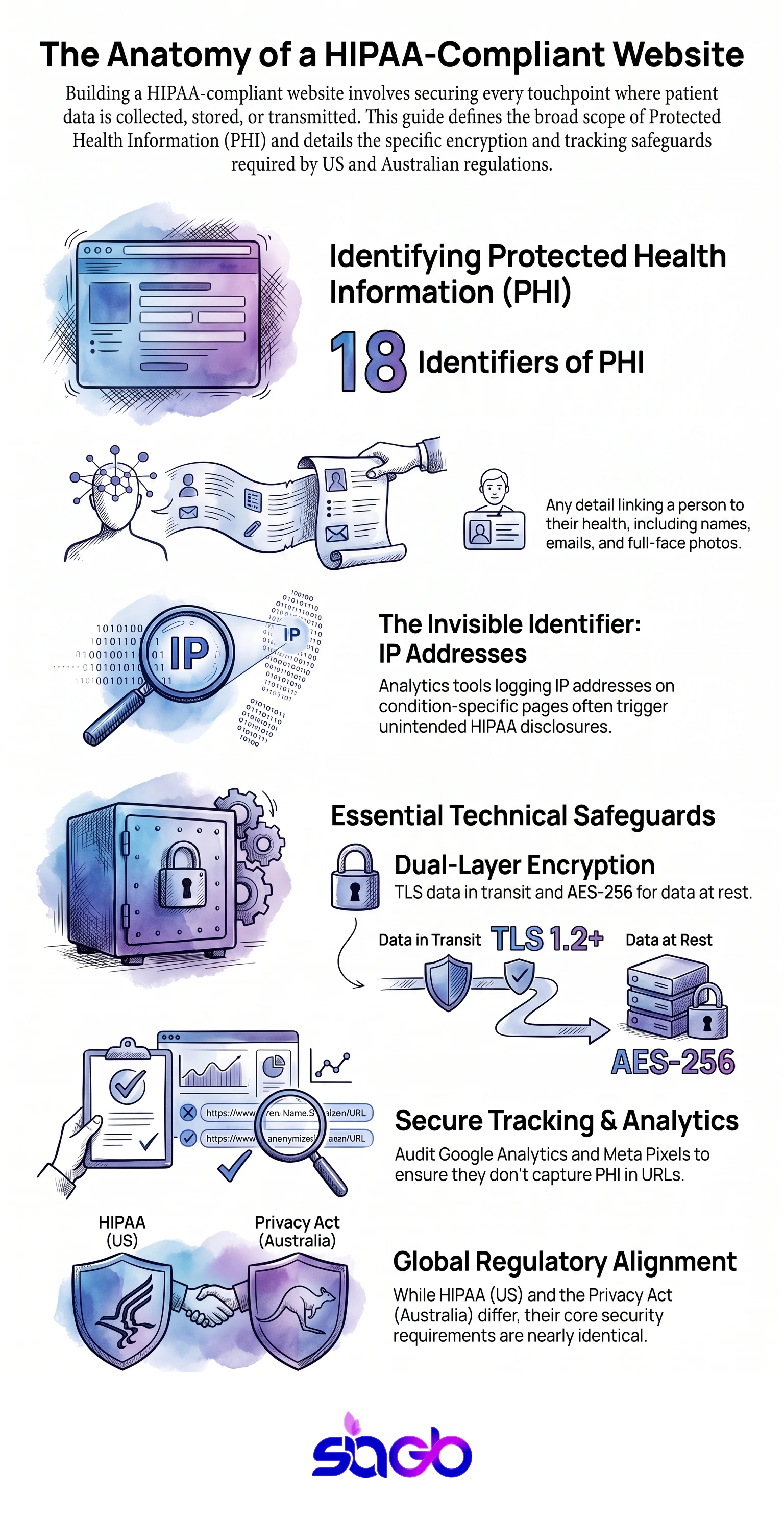
The US rules name 18 identifiers as protected health information, and the list is broader than people expect. It covers the obvious ones, such as name, date of birth, and Medicare number. It also covers device identifiers, IP addresses, and full-face photographs. In our experience auditing clinic sites, the identifier that catches practices out is the one they never chose to collect: the IP address their analytics tool logs on a page about a specific condition.
The parts of a HIPAA compliant website
Let’s walk through the pieces. None of these is optional if you handle PHI for US patients.
HIPAA compliant hosting. According to HHS, your web hosting has to support the safeguards HIPAA requires: encryption, backups, access logs, and a signed Business Associate Agreement (BAA). Regular shared hosting won’t sign a BAA. HIPAA compliant web hosting will. No BAA, no compliance. It really is that simple.
Encryption everywhere. Data moving between a patient’s browser and your server needs to be encrypted (that’s the padlock, HTTPS). In practice that means TLS 1.2 or 1.3, with the older protocols switched off rather than left enabled for compatibility. Data sitting on the server needs encrypting too, usually AES-256. Both, not one. This is the same standard we build to on every healthcare website development project, whether the client sits under HIPAA or the Australian rules.
Access controls. Only the right people should reach patient information, each with their own login. Shared passwords are a classic way HIPAA compliance quietly falls apart.
Careful forms. A contact or booking form that collects health details has to send that data somewhere HIPAA compliant. A form that emails submissions to a normal inbox? That’s a leak waiting to happen.
Analytics, watched closely. Here’s one people miss. Standard Google Analytics can pick up information it shouldn’t when it’s placed on healthcare websites. If a page URL or a form field carries health details, your analytics can end up storing PHI. According to the HHS Office for Civil Rights, which published guidance on tracking technologies in December 2022 and revised it in March 2024, that exposure counts as a disclosure. Configure it carefully, or keep it off the pages that handle patient information. The same caution applies to Meta Pixel, Hotjar, and any chat widget that records what a visitor typed.
HIPAA compliant hosting vs standard web hosting

Since hosting is where most clinics slip, here’s the difference laid out.
| Feature | Standard web hosting | HIPAA compliant hosting |
|---|---|---|
| Signs a BAA | No | Yes |
| Encryption at rest | Sometimes | Yes, required |
| Access logs | Limited | Detailed, auditable |
| Automatic backups | Varies | Yes, encrypted |
| Cost | Lower | Higher, and worth it |
You’re paying more for HIPAA hosting. But weigh that against a breach. The penalties, and the loss of patient trust, cost far more than the hosting ever will.
What about Australia?
Now, if your practice is in Australia, HIPAA is a US law and doesn’t apply to you. But don’t relax yet. According to the OAIC, the Privacy Act 1988 and the Australian Privacy Principles set very similar expectations, and health information gets extra protection as “sensitive information” under that law. The Office of the Australian Information Commissioner (OAIC) is the body that enforces it.
Two dates are worth knowing. The Notifiable Data Breaches scheme started in February 2018, and it gives you 30 days to assess a suspected breach and report anything likely to cause serious harm. Then in December 2022, Parliament lifted the penalty for serious or repeated interference with privacy to the greater of 50 million dollars, three times the benefit obtained, or 30 per cent of adjusted turnover. Compared with the old cap of roughly 2.2 million, that’s a different order of risk.
The practical checklist barely changes. Secure hosting. Encryption. Controlled access. Clear consent. Careful handling of any form that collects health details. Different law, same good habits. So whether you’re bound by HIPAA regulations or the Australian rules, a compliant website looks much the same. Accessibility runs on a parallel track here, and if you’re already working through ADA and AHRC compliance, the two audits share most of the same page inventory.
A short best-practices checklist

- Use hosting that will sign a BAA (or meets OAIC expectations in Australia).
- Turn on HTTPS across the whole site, not just the booking page.
- Send form data to a compliant system, never a plain inbox.
- Give every staff member their own login, and review access often.
- Check that Google Analytics isn’t capturing patient information.
- Keep a simple record of what data you collect and why.
Work through that list and you’ve covered most of what a HIPAA compliant website needs. The rest is keeping it up, because compliance isn’t a one-off. It’s a habit.
A quick note on the jargon, since it comes up. Under HIPAA rules, your practice is a “covered entity”, and any data you handle is protected health information (sometimes written as electronic protected health information, or patient health information). One HIPAA regulation, the HIPAA security rule, sets the core HIPAA requirement: protect that data from unauthorised access. Together, HIPAA regulations and the HIPAA security rule set the HIPAA requirements and HIPAA standards a healthcare organisation must meet, and following best practices is how you meet them. Good HIPAA compliant websites bake those HIPAA guidelines into the web design from the start, they don’t bolt them on later. You don’t need to memorise every term. You just need HIPAA compliance treated as a best practice, not a box-tick, so your web design and hosting follow the rules by default.
What happens when you get it wrong
Let’s talk about the cost of skipping this, because it’s easy to treat compliance as red tape until something goes wrong.
A breach isn’t just a technical event. It’s patient trust, gone. When protected health information leaks, people find out, and they don’t forget which clinic lost their records. For a practice that lives on reputation, that’s the real damage. The fines are bad. The lost patients are worse.
And breaches rarely come from some dramatic hack. Most are boring, which is the frustrating part. A contact form emailing health details to a normal inbox. An old staff login that still works after they left. Google Analytics quietly logging a page URL that spells out a condition. None of these feels like a security hole. All of them are.
Here’s a short list of the mistakes I see most:
- Treating a brochure site as low-risk, then bolting on a booking form that collects health details.
- Using shared hosting that won’t sign a BAA, because it was cheaper.
- One shared admin login for the whole front desk.
- Analytics left on every page, capturing things it shouldn’t.
- No record of what data the site actually collects.
The fix for all of these is the same posture: assume any patient information is sensitive, and design around that from the start. It’s much harder to retrofit HIPAA compliance onto a finished site than to build it in from day one. Cheaper, too.
There’s a responsibility trap worth naming here, and honestly it’s the one that worries me most. A lot of practices assume the web developer handles compliance. The developer often assumes the hosting company does. And the hosting company assumes the practice configured things properly. Everyone points at everyone else, and the gap in the middle is where breaches live. So be clear about who owns what, in writing. Your practice is the one accountable for patient data, full stop, no matter who built the site. That means you need a signed BAA with every vendor that touches protected health information, your host, your form provider, your email tool. If a vendor won’t sign one, that’s your answer: they’re not the right vendor for a healthcare website.
One more thing worth saying plainly. Compliance is not a certificate you earn once and frame on the wall. Your site changes. Plugins update. Staff come and go. A website that was compliant last year can drift out of compliance without anyone touching the security settings. So build the habit of checking, a quick review every few months, and you’ll catch the small slips before they become the expensive kind.
Infographic: Building a HIPAA-Compliant Website
FAQ
Does every healthcare website need to be HIPAA compliant?
If it touches protected health information and you serve US patients, yes. A pure brochure site with no forms and no patient data has less to worry about, but the moment you add a contact form that invites health details, you’re in scope.
Is WordPress HIPAA compliant?
WordPress itself is neither compliant nor non-compliant. It depends on your hosting, your plugins, and how forms and data are handled. You can build a compliant site on it, but it takes care.
Can I use Google Analytics on a HIPAA compliant website?
Carefully. Keep it off pages where URLs or forms might carry health information, and make sure it isn’t storing anything identifiable. Many clinics restrict it rather than risk it.
We’re in Australia. Do we still need all this?
You’re not under HIPAA, but the Privacy Act 1988 asks for very similar safeguards for health information. The build looks nearly identical, so yes, treat it seriously.
What does HIPAA compliant hosting actually cost?
Expect to pay several times what shared hosting costs, because you’re buying encrypted backups, audit logging, and a vendor willing to sign a BAA. Compared with the cost of a notifiable breach, it’s the cheaper side of the ledger.
Key takeaways
A HIPAA compliant website protects protected health information through compliant hosting with a signed BAA, encryption in transit and at rest, per-user access, careful forms, and analytics that don’t capture patient data. If you’re an Australian healthcare provider, HIPAA doesn’t bind you, but the Privacy Act 1988 expects the same safeguards. Either way, compliance is ongoing, not a box you tick once.
Not sure where your current site stands? A quick review usually finds the gaps fast, and that’s something we help healthcare organisations with at SIAGB. Our All Health Medical case study walks through what that looks like on a live clinic site, from hosting through to forms.
Sources
- U.S. Department of Health & Human Services, HIPAA Security Rule and the Office for Civil Rights guidance on tracking technologies.
- Office of the Australian Information Commissioner on the Australian Privacy Principles, health information and the Notifiable Data Breaches scheme.
Updated July 2026. Written by Sheetal Dhadial, founder of SIAGB, which builds and secures healthcare websites.

Want to explore this further?
Book a Free Consultation